Two pages can say the same thing, yet one shows star ratings, prices or FAQs right in Google results while the other is a plain blue link. The difference is often schema markup.
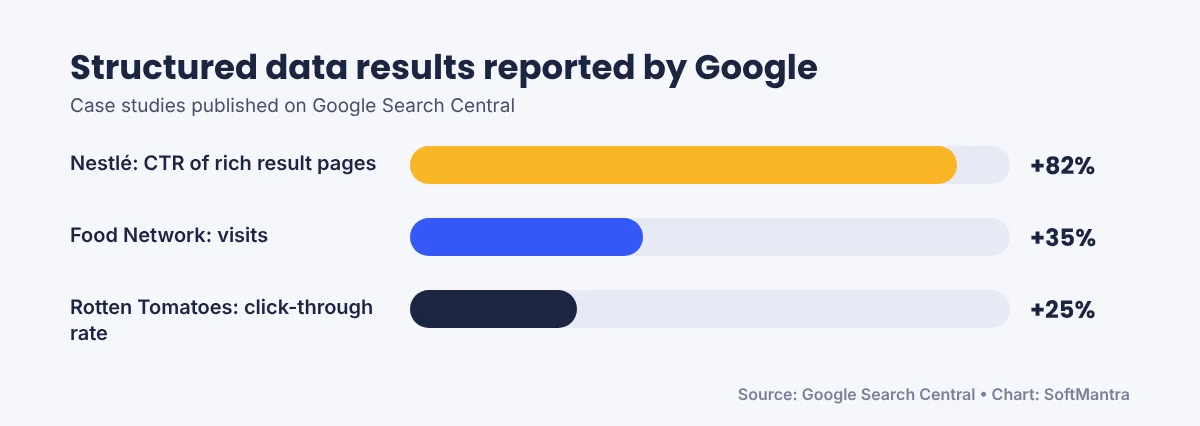
Google’s own case studies show the impact. Rotten Tomatoes measured a 25% higher click-through rate on pages with structured data, and Nestlé found pages shown as rich results had an 82% higher click-through rate (Google Search Central).
In this guide we explain what schema is, which types matter for most businesses, how it relates to AI search, and how to add it without breaking Google’s rules.
Quick answer: Schema markup is code (usually JSON-LD) that tells search engines exactly what a page is about, such as a business, product, article or FAQ. It can make pages eligible for rich results and helps search engines understand your content. Google recommends JSON-LD and says the markup must match what is visible on the page.
In this guide
What Is Schema Markup?
Search engines read text, but they still have to guess what it means. Schema removes the guesswork. It labels facts on your page, for example “this is the business name”, “this is the price”, “this is the rating”, using a shared vocabulary from Schema.org.
Google says it uses structured data to understand page content and to show rich results, the enhanced listings with stars, prices, images and other details (Google).
JSON-LD: The Format Google Recommends
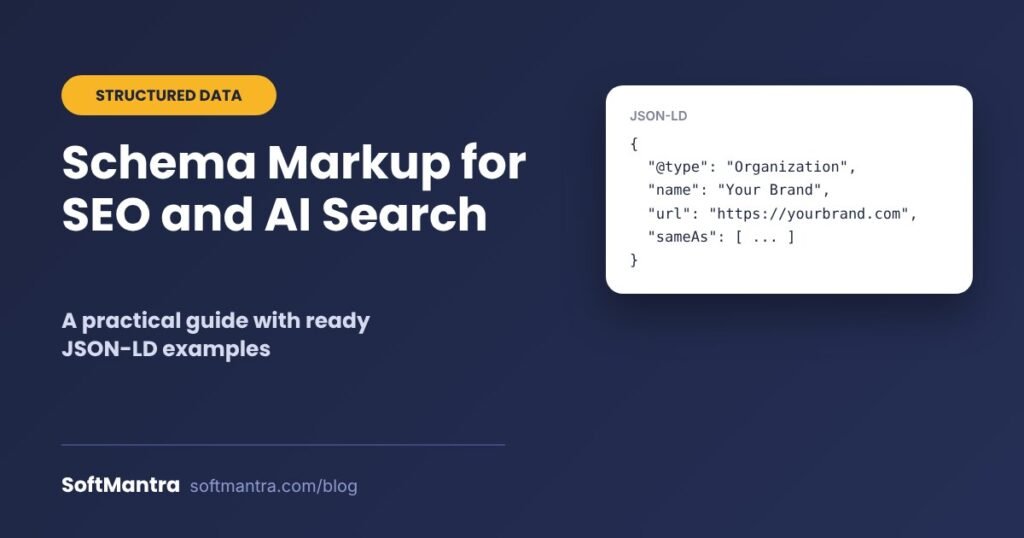
Google supports three formats: JSON-LD, Microdata and RDFa. Google recommends JSON-LD when your setup allows it, because it sits in one script block and is easier to add and maintain (Google). Here is a simple Organization example:
{
  "@context": "https://schema.org",
  "@type": "Organization",
  "name": "Your Brand",
  "url": "https://yourbrand.com",
  "logo": "https://yourbrand.com/logo.png",
  "sameAs": ["https://www.linkedin.com/company/yourbrand"]
}
Which Schema Types Should You Use?
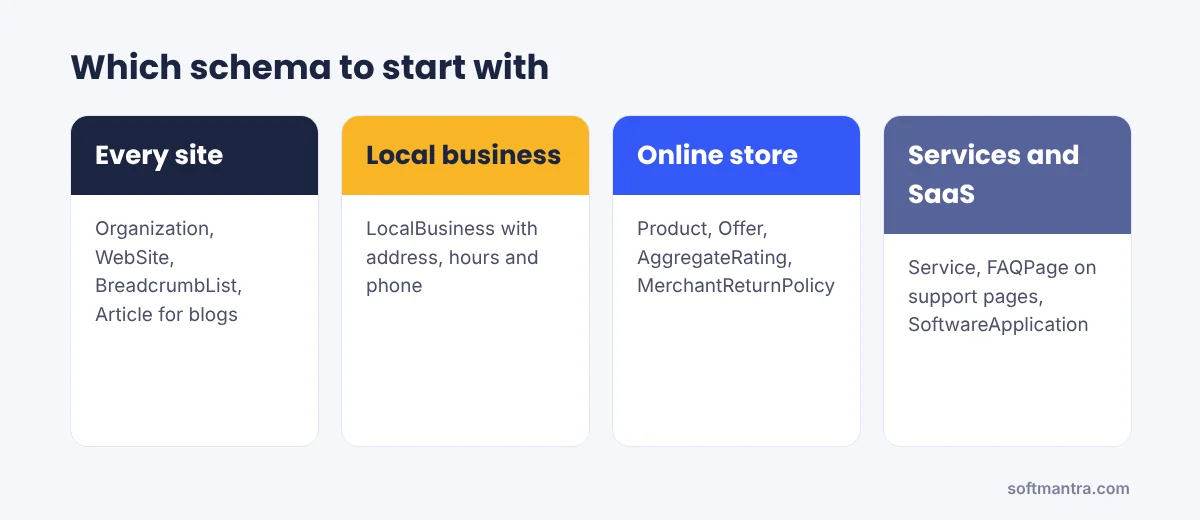
| Schema type | Use it for | Possible benefit |
|---|---|---|
| Organization | Your brand, logo and social profiles | Clear brand understanding |
| LocalBusiness | Address, hours, phone for local firms | Supports local search understanding |
| Article / BlogPosting | Blog posts and news | Author and date understood |
| Product and Offer | E-commerce product pages | Price, stock and rating rich results |
| BreadcrumbList | Site structure | Breadcrumb trail in results |
| FAQPage | Real FAQ sections | Helps understanding; rich results are limited to some sites |
Not sure which schema your site is missing? Our technical SEO team audits and fixes structured data as part of every engagement.
Does Schema Help With AI Search?
A common myth is that you need special schema to appear in Google AI Overviews. Google says there is no special schema or AI file required for AI features; normal SEO best practices apply (Google). Its 2026 AI search guide lists “special schema” among the tactics you do not need (Search Engine Journal).
That said, standard schema still helps search engines understand who you are and what a page offers. Think of it as clean labelling, not a ranking trick. Our checklist on getting cited in Google AI Overviews explains what matters more.
How to Add Schema Markup Step by Step
- Pick the right type for each page template, using the table above.
- Add JSON-LD through your SEO plugin (such as Rank Math or Yoast) or directly in the page code.
- Fill in required properties listed in Google’s documentation for that rich result.
- Test with Google’s Rich Results Test and the Schema Markup Validator.
- Monitor the Enhancements reports in Google Search Console for errors.
Schema Mistakes That Cause Problems
Google’s structured data guidelines say markup must represent the main content of the page and must not describe content that users cannot see (Google). Avoid these mistakes:
- Marking up reviews or ratings that are not shown on the page.
- Adding FAQ schema to questions that are not visible.
- Using schema for a different business or product than the page is about.
- Leaving old prices or hours in the markup after the page changes.
Breaking these rules can make pages ineligible for rich results or lead to a manual action. Clean on-page SEO and accurate schema go together.
Want schema done right across your whole site? Talk to SoftMantra about a structured data audit.
Key Takeaways
- Schema labels the facts on your page so search engines understand them, and can make you eligible for rich results.
- Use JSON-LD, match the visible content and test every template.
- There is no special schema for AI search, but clean markup supports overall understanding.
Frequently Asked Questions
Is schema markup a ranking factor?
Google has not said schema is a direct ranking factor. It helps Google understand your page and can make it eligible for rich results, which can improve click-through rate.
Which schema format is best?
Google recommends JSON-LD when your setup allows it because it is easier to add and maintain. Microdata and RDFa also work if they are valid.
Do I need schema to appear in AI Overviews?
No. Google says there is no special schema required for AI features. Normal SEO best practices apply.
How do I test my schema?
Use Google’s Rich Results Test for rich result eligibility and the Schema Markup Validator for general schema checks, then watch Search Console’s Enhancements reports.