Until now, businesses had no control over how ChatGPT described them. If the details were wrong, there was nothing to edit. That changed on 10 November 2026, when OpenAI launched Businesses in ChatGPT in beta, with a dashboard called Business Hub.
Think of it as a Google Business Profile for ChatGPT. In this guide we explain what it does, who can use it today, and how local businesses in India can prepare.
Quick answer: ChatGPT Business Hub is a free beta tool from OpenAI where businesses can claim and verify their profile in ChatGPT, update key details, upload product feeds and see insights such as mentions, profile views and website clicks. Claiming started with businesses that have a website. Business Agents are currently only for eligible US ecommerce and online service businesses.
In this guide
What is ChatGPT Business Hub?
OpenAI says Businesses in ChatGPT is aimed at the 1.2 billion people who use ChatGPT each week (IT Brief). Through Business Hub, a company can claim its organisation, verify it and update information that ChatGPT shows about it (OpenAI).
The launch has two parts (Quartz):
- Business Hub: claim and manage your profile, keep details current, upload product feeds with prices and availability, and view insights.
- Business Agents: AI agents that talk to customers inside ChatGPT on your behalf. These are only for eligible US ecommerce and online service businesses for now, and can be promoted with ChatGPT Ads.
Who can use it, including in India
OpenAI says claiming is open to eligible businesses wherever ChatGPT is available, starting with businesses that have a website (LLM Pulse). Eligibility also depends on industry, location and verification checks.
In practice, early reports show the rollout outside the US is uneven. One business outside the US was waitlisted on launch day, and a developer reported that local business listings could only be claimed in the US at first (LLM Pulse). So Indian businesses should check now, but expect that some categories may need to wait.
Want SoftMantra to check whether your business can be claimed yet? Send us your website and we will look.
What to prepare before you claim
Verification asks for proof that you own or represent the business. Get these ready first:
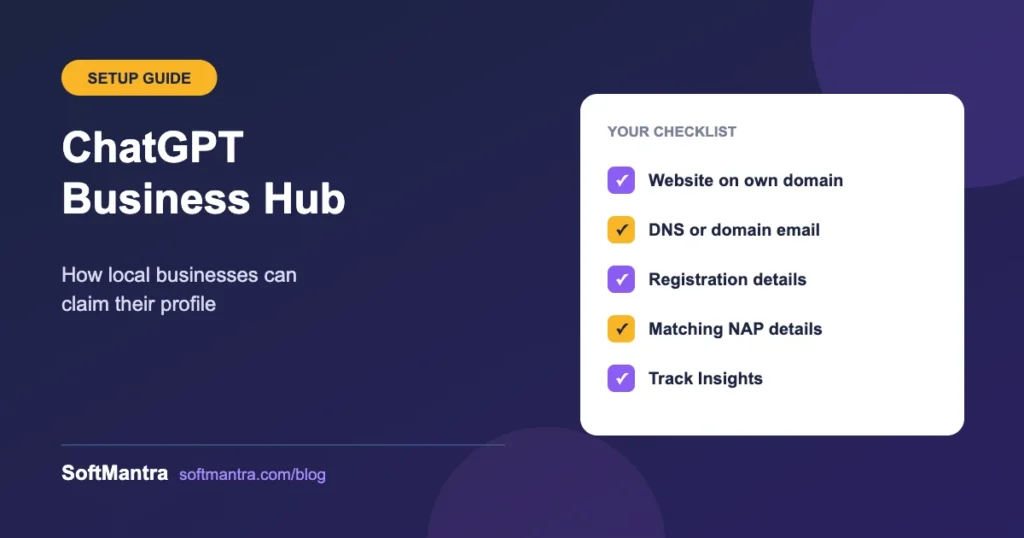
- A working website on your own domain, with your business name, address and phone number on it.
- Access to your domain DNS (for a TXT record) or an email address on your own domain.
- Business registration details such as GST or company registration, matching official records.
- A government ID of the authorised person, since OpenAI’s verification partner Persona may ask for it (LLM Pulse).
- Consistent details everywhere. Your name, address and phone should match your website and Google Business Profile.
How to claim your business, step by step
OpenAI’s help article explains the setup inside ChatGPT (OpenAI Help Center). Based on that and early reports, the flow looks like this:
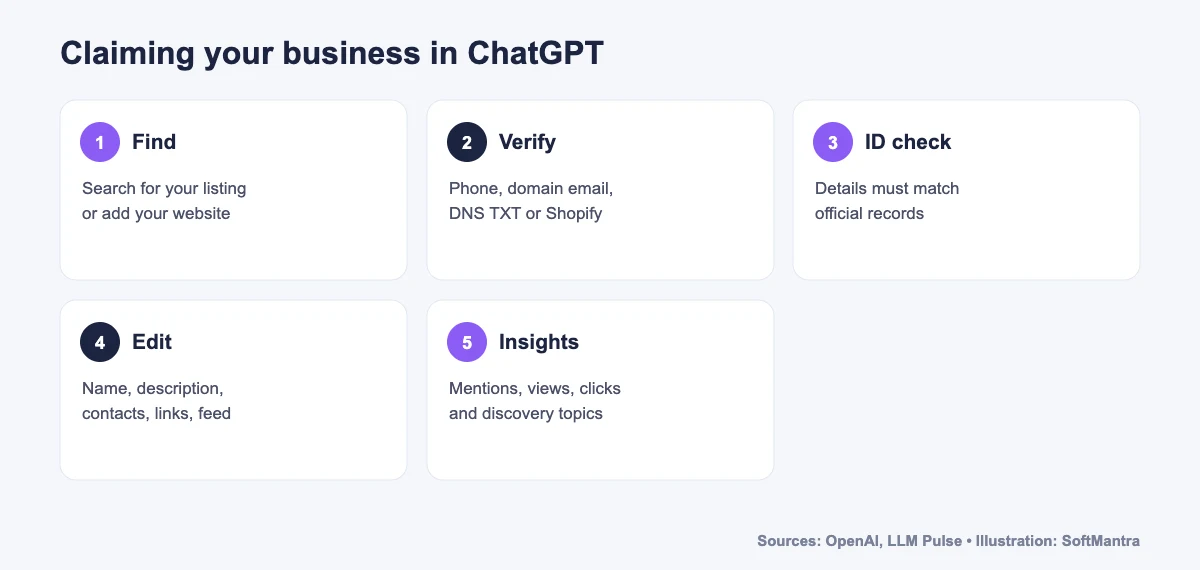
- Find or add your business. Open Business Hub in ChatGPT and search for your listing. If none exists, add your website and choose a business type.
- Verify control. Choose a method: a code by text or call to the business phone, a code to a business email, a DNS TXT record, or a Shopify connection (LLM Pulse). We prefer DNS or domain email because you fully control them.
- Pass the identity check. Name, address and registration number must match official records.
- Edit your details. Update your name, description, contact details and the links ChatGPT should use. Online sellers can add a product feed.
- Wait for Insights. Data appears only after activity passes a reporting threshold.
What the Insights tab shows
This is the part SEO and GEO teams care about most. For the first time, OpenAI gives first-party data on how a business appears in ChatGPT (Trending Topics).
| Metric | What it counts |
|---|---|
| Mentions | Times ChatGPT referenced your website. For local businesses, times a result for your location was shown. |
| Profile views | Views of your business profile in ChatGPT |
| Website clicks | Recorded clicks on links to your website inside ChatGPT |
| Discovery topics | Common themes in conversations where your site is cited (top five) |
Source: LLM Pulse, reporting views for 7 and 28 days. Website clicks do not confirm visits or conversions, so still check GA4.
Limits you should know
- Claiming a profile does not guarantee higher placement or more sales, according to OpenAI’s product page (LLM Pulse).
- Insights do not show the exact prompts, competitor data or share of voice.
- Small businesses may see empty tiles until activity crosses the reporting threshold.
- It is free in beta, but OpenAI has not ruled out charging later (LLM Pulse).
Want to see how often AI tools mention your brand today? SoftMantra’s GEO consulting includes AI visibility tracking across ChatGPT, Gemini and Perplexity.
How to appear more often in ChatGPT
Claiming helps ChatGPT show correct details. Being recommended still depends on what the web says about you. These steps help:
- Keep your website clear about who you serve, where, and what you charge.
- Collect genuine reviews on Google and relevant platforms.
- Get mentioned in trusted local and industry websites.
- Answer real customer questions on your site in plain language.
For the full method, read our guides on how to rank in ChatGPT and local SEO for clinics in India, which applies to most local service businesses. SoftMantra’s AEO team can also handle this for you.
Frequently Asked Questions
What is ChatGPT Business Hub?
It is OpenAI’s beta tool where businesses claim and verify their profile in ChatGPT, update details, upload product feeds and see insights like mentions and clicks.
Is ChatGPT Business Hub free?
Yes, Business Hub, profiles, product feeds and Business Agents are free during the beta. Sponsoring an agent through ChatGPT Ads is paid.
Can Indian businesses claim a profile?
OpenAI says claiming is open to eligible businesses wherever ChatGPT is available, starting with businesses that have a website. Early reports show some non-US claims were waitlisted, so check your account.
How do I verify my business in ChatGPT?
Options reported include a code to your business phone or email, a DNS TXT record, or a Shopify connection, plus an identity check through Persona.
Will claiming my profile improve my ranking in ChatGPT?
Not directly. OpenAI says claiming does not guarantee higher placement. It helps ChatGPT show correct details about you.
What are Business Agents?
They are AI agents that talk to customers inside ChatGPT on behalf of a business. At launch they are only for eligible US ecommerce and online service businesses.